Friday, March 29, 2013

Chromebook vs. iPad

Thanks to Houghton Mifflin Hartcourt (HMH), I have started the process of comparing the iPad to the Chromebook.  HMH gave my frosh 35 iPads to use for two months as well as their iPad e-books. Certainly (and we have the US, WH and government ones all loaded up) the e-books on the iPads are superior to the Internet based ones.  The kids love being able to move easily around the pages, blow up videos, toggle easily back and forth between items (four find swipe) and so on.  I also like how they can instantly get on on the Internet as opposed to the 3-5 minute loading process it takes for our normal netbooks.  I also have dramatically improved my skills on the iPad (as you can see from my expanding tips here).

But, and I know you will find this shocking, but my own kids do a lot of their homework using laptops (grades 3 and 2x5th) and are well versed in Google Drive.  So needing more computers I bought the $250 Chomebook a week ago.  It is 11.6 inches (1.5" larger than the iPad) and has a little storage, but is basically a way to get to the Internet.  Certainly using the Internet textbook is not as rich an experience on a Chromebook, but you also have full functionality of Google Drive and are not married to the same device for the e-book. It also fires up in seconds and can run many programs at once (far better than the earlier versions).  At 50% the price of the e-book, right now I have to err on the side of the Chromebook.  If you agree I have a video of tips for it above.


Jeopardy Labs & Progressive Era

While we are at it, Jeopardy Labs has some fun Jeopardy game which you can make, use others or even edit others' work.  Here is the one on the Progressive Era. 

Quizlet on the Progressive Era


I can't say enough for the Quizlet games as a way to prepare for tests.  Just know that most are made by students so check the sets before you give them to your students. 

The Blogs Make the News

Here is a nice newspaper story on our three blogs.  Frank Franz, George Coe and I are all featured.  Thanks to all of you for making them such a big success.  Keep the e-mails and the hits coming.   The picture is actually from my classroom last year.  You might notice one of my students at the
"teacher desk" as I usually only use it to do attendance and show the kids their grades and then do a lot of walking around the room to help the students on their work. 

Wednesday, March 27, 2013

Short Tour of Jamestown


While I use precious little PowerPoints (other than when I flip the classroom), if I was, I would simply go to my Google Drive Presentation and go to insert and then search for the video above and insert it.  The other option would be to use it as your flipped class video.  It is an excellent video someone took of their visit to Jamestown.  It does a good job of showing you everything outside.  Of course I should add that most of the original settlement is now under water, but having been to Jamestown many times I can tell you the archaeologists have gone a great job at recreating the original site.

From time to time I like to see where my viewers are coming from and found this from CollaborizeClassroom which has many many free lesson plans (which you can add to).  More on this later. 

Tuesday, March 26, 2013

Bar Graphs to Compare Items


This is a nice video on how to create visual charts (all the nicer because as a runner it discusses running times!).  Perhaps you want to compare class average across the year on different tests or test results between teachers or even different levels of test questions.  Well now you have a very easy way using Google Drive excel sheets. 

Monday, March 25, 2013

Michael Beschloss Tweets American History


Presidential historian, Michael Beschloss, explains to the Newshour how he shares lessons in American history using Twitter. If you don't follow him, you should. The pictures he tweets are great examples of American culture and history. @BeschlossDC

Friday, March 22, 2013

50th Anniversary of Gideon v. Wainright

Thanks to Denise Thompson who sent me the CBS video above and this NPR story that were just released on the 50th year of Gideon  v. Wainright. 

Thursday, March 21, 2013

Google Keep for Simple Notes

I have been using Evernote for a while, but have never really gotten into it even thought it is a very hot app and has come up with many cool ideas.  What I really need is just a place to quickly list items such as what I need to buy at the grocery store or a quick picture.  

So along comes Google Keep which is very much an Evernote lite that seems perfect to me as it syncs with the page online, but on the smartphone it lets you take pictures and even record your notes.  So if you have some quick teaching ideas and don't want to take much time with them you might want to try it.

Here is the video above and here is the Android App.

Crash Course on the US Constitution


Here is John Green's latest video which is on the Articles of Confederation, the Articles and Federalism (above or here).  It is good for a review of the topic. 

Tuesday, March 19, 2013

Sal Kahn's Tips on Flipping Your Class

Sal Kahn has put together a ten minute video on what he believes is important in making his videos.  His tips include
  • be yourself (my students love when I put in personal items)
  • don't make it too professional
  • talk directly to the students (not too far above or below the students' intellect)
  • use colors and visuals (but not too fancy)
  • Keep the video under ten minutes
  • I would add that you should either have your PowerPoint points cued up or even better have a number of webpages ready with perhaps images, sounds, major points etc. that are lined up and ready to go. Kahn says (and I agree), do not script it out beforehand.  You do not have to be perfect.
We have a lot of posts on flipping your classes which you can find by going to the search engine in the upper left. 

Saturday, March 16, 2013

Animated Gifs & Other Fun

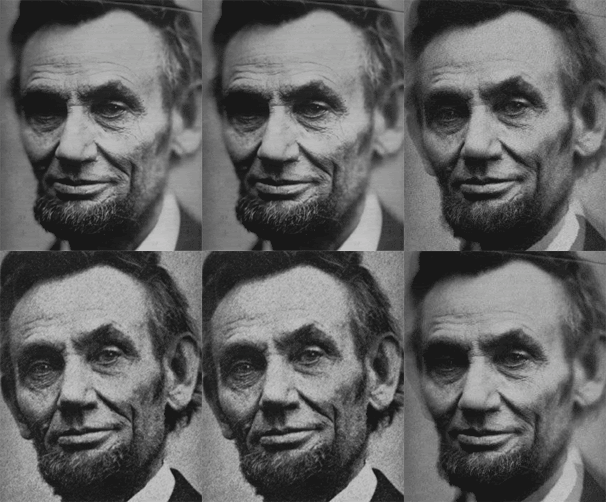
I like to put images on my assignments for my students as I believe it is an important way to learn. Likewise it makes the e-sheet look more interesting.  If you want to animate a Google Drive document, just search for "animated gif" and then put in whatever you are looking for such as "Abraham Lincoln" above.

While we are having fun, I thought you might like the video below showing that I still do see at least one need for paper!

Friday, March 15, 2013

Filamentality for Webquests

I have posted on all three blogs defining what is meant by a webquest and how to do it, but one of my teacher-students, Jim Novak, found a site called Filamentality which takes you through the individual steps on how to do it, literally helping you search, find urls, etc.  

Monday, March 11, 2013

FakeText SMS Generator

I would love it if my county went to an opt out for login/password much as we do with Family Life Education as it would open so much more to my students.  But until then it is great to have British teacher Russell Tarr and his great inventions such as Fakebook (my posts on how to do it), Faketweet (some of my posts on it) and now the SMS Generator as none of them require a login/password and yet each can be saved and re-edited and give the user a unique url.  One of my teacher-students came up with the great idea to use a Google Form and had her students turn in their links to Fakebook that way.


Well now you can do a similar fun exchange between two people and have your students pretend they are texting.  It is amazingly easy.  At the top of this post is a very simple example I just did.  When you look at the bottom of the SMS Generator, you will see on the left (under #1) a "+" which you click to have a text appear on the left and #5 above will make another person's appear on the right.  The gear (#3) gives you the option to get the embed code as well as a QR picture (which you can also see above).  The "new" icon lets you start a new set of texts.

Incidentally I found out about the SMS Generator from a G+ post from Richard Byrne. 

Korean War for Dummies

Here are two Korean War primers that I found on the CNN site. With all the press about North Korea, news organizations are writing a lot about the origins of the conflict.